Skip to content

Packing Light: The Essentials: How Can You Master Them?

Practical guides for money, home, health, tech and travel
WHAT YOU NEED TO KNOW

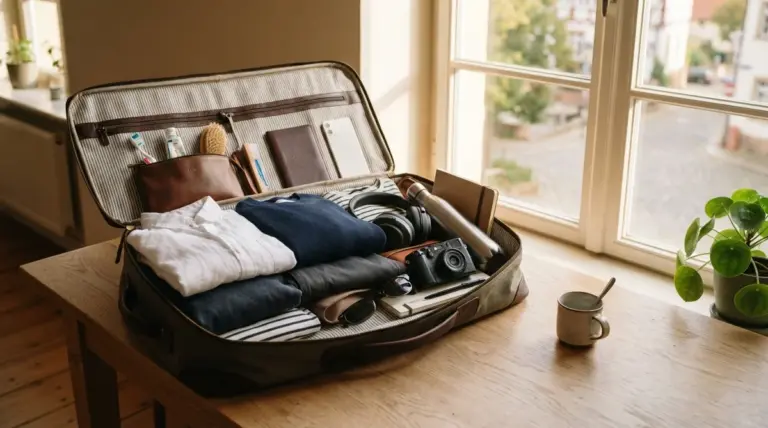
Traveling with a single carry-on bag is the core of packing light: the essentials include keeping your luggage under 20 pounds to provide unmatched mobility and peace of mind.

  • The One-Week Rule: Pack garments for only seven days of travel, regardless of whether your trip lasts two weeks or three months.
  • Weight Limits: Restrict your packed suitcase to a maximum weight of 20 pounds (or 9.1 kilograms) to comply with airline restrictions.
  • Liquid Regulations: Replace traditional liquid toiletries with solid alternatives to easily pass through security checkpoints.

Your success with this setup depends entirely on your willingness to wash clothes regularly during your trip.

What Are the Core Rules of Packing Light: The Essentials?

Traveling light is not about deprivation, but about maximizing your freedom. When you carry a compact bag, you bypass long lines at the luggage carousel, avoid steep checked bag fees, and navigate public transportation with absolute ease. To achieve this, you must shift your perspective from packing for every potential emergency to packing only for the most probable situations.

Why Should You Pack for Only One Week?

You should pack for exactly seven days of travel, even if your itinerary spans three weeks or three months. This strategy works because you will wash your clothes periodically during your trip. By capping your wardrobe at a one-week supply, you ensure that your baggage remains lightweight and manageable. It prevents you from hauling heavy, unused garments over train platforms and cobblestone streets.

How Do You Prioritize Versatile, Multi-Use Items?

Every item inside your suitcase must perform at least two functions to justify its space. For example, a sarong can serve as a beach towel, a light blanket, or a shoulder cover-up for historic sites. Choose a single pair of neutral walking shoes that work for city exploration and casual dinners. If a piece of gear only serves one highly specific purpose, leave it at home and rent it at your destination if needed.

How Do You Choose the Right Lightweight Luggage?

Your luggage itself should weigh no more than five pounds (or 2.3 kilograms) when empty. Choose a soft-sided carry-on bag or a travel backpack measuring no more than nine inches by 21 inches by 14 inches. This size complies with major airline overhead bin specifications, though you should verify specific dimensions for European regional carriers. A soft bag also compresses easily into tight spaces, making it superior to rigid hardshell suitcases.

What Is the Ultimate Pack-Light Wardrobe Strategy?

Your clothing choices represent the heaviest and bulkiest items in your bag. By implementing a systematic approach to what you wear, you can significantly reduce your travel load. This strategy ensures you remain comfortable and presentable without overpacking.

How Does the 1-2-3-4-5-6 Clothing Rule Work?

This simple mathematical formula limits your total clothing items to 21 pieces, which easily fit into a standard carry-on. The rule dictates the maximum quantities of each garment type you should pack for your journey. This structured approach prevents impulse packing and keeps your suitcase highly organized.

  • One hat or cap for sun and rain protection
  • Two pairs of shoes, including one worn during transit and one packed
  • Three pairs of pants, shorts, or skirts
  • Four shirts, prioritizing lightweight and easily layered tops
  • Five pairs of socks made from moisture-wicking materials
  • Six pairs of underwear that dry quickly after washing

Why Is Choosing Lightweight, Quick-Drying Fabrics Vital?

Heavy cotton garments retain moisture and odors, making them highly impractical for travel. Instead, select clothing made from merino wool, nylon, or polyester blends. Merino wool resists odor naturally for multiple days, while synthetic polyesters dry within hours of washing. This allows you to wash garments in your hotel sink and hang them to dry overnight.

How Do You Build a Color-Coordinated Micro-Wardrobe?

Select a cohesive color palette of three colors, such as navy, grey, and white, so that every top matches every bottom. This color-coordinated system allows you to create over 12 unique outfits from just a few basic pieces. Stick to solid colors and simple patterns, which are easy to dress up or down with minimal accessories. This visual versatility keeps you looking fresh without requiring a large volume of clothing.

What Belongs on the Essential Packing List?

An organized packing list ensures you do not forget critical items while filtering out unnecessary weight. Your inventory should focus strictly on the core necessities. By separating your gear into clear categories, you can audit your progress before zipping the bag.

What Are the Key Travel Clothing Essentials?

Your travel wardrobe should focus on high-quality layers rather than bulky individual coats. Pack an ultra-light windbreaker or rain jacket that compresses to the size of an apple. Include a lightweight fleece or sweater for cooler evenings, which you can wear on the airplane to save luggage space. Remember to wear your heaviest items, including your sturdiest walking shoes, during transit days.

How Do You Pack Minimalist Toiletries and Personal Care?

To avoid security delays, replace liquid toiletries with solid alternatives wherever possible. Solid shampoo bars, solid deodorant, and toothpaste tablets do not count toward airport liquid limits. According to official guidelines from the Transportation Security Administration (TSA), liquids must be limited to small containers under 3.4 ounces (or 100 milliliters). Keep in mind that you can easily purchase basic personal care items like toothpaste or sunscreen at any local grocery store once you arrive.

Which Travel Gear and Electronics Are Must-Haves?

Limit your electronics to a smartphone, a universal travel adapter, and a compact power bank. Leave bulky laptops and dedicated cameras at home unless they are absolutely necessary for your work. Keep essential documents, like your passport and physical backup copies of insurance, in a secure, water-resistant pouch. If you struggle with travel-related anxiety, adopting simple habits for less stress can help keep your mind clear during busy transit days.

Which Smart Packing Techniques Keep You Organized?

How you arrange your items inside the bag is just as important as what you choose to bring. Utilizing efficient organization methods maximizes your available volume and prevents wrinkles. These techniques also make it easy to locate specific items without unpacking your entire suitcase.

How Do You Use Packing Cubes and Organizers?

Packing cubes are fabric containers that compress your clothing and group similar items together. Use one cube for shirts, one for pants, and a mesh bag for underwear and socks. This system prevents your clothes from sliding around and creating bulk during transit. It also allows you to unpack your entire bag into hotel drawers in less than 10 seconds.

What Are the Pros and Cons of Rolling vs. Folding Clothing?

Rolling clothing is generally superior to folding because it eliminates air pockets and reduces fabric creasing. Tightly rolled shirts and pants can be tucked into the perimeter of your suitcase to maximize space. However, structured items like blazers or heavy linen shirts should still be folded flat to maintain their shape. For maximum efficiency, use a specialized folding board to pack delicate garments before placing them in your bag.

How Do You Plan for Laundry on the Road?

Doing laundry is the single most important habit that enables you to travel with a small suitcase. Pack a travel clothesline and a few packets of concentrated laundry soap sheets. You can easily wash a few items in your hotel bathroom sink in under five minutes before bedtime. For larger loads, search for local self-service laundromats or use affordable wash-and-fold services near your accommodation.

How Do You Run a Final Check and Trim Down Your Load?

The final step of packing occurs before you walk out your front door. This auditing phase forces you to justify every single item in your possession. Taking this step seriously ensures you do not carry unnecessary weight across the globe.

How Do You Run a Nice-to-Have vs. Must-Have Audit?

Lay out every item you plan to bring on your floor for a strict visual audit. To trim your belongings, apply the same rigorous mindset used for decluttering that actually sticks when managing household items. If you find items that you packed just in case of an unlikely scenario, remove them immediately. You can almost always buy cheap replacements abroad if an unexpected emergency arises.

Why Should You Weigh Your Luggage Before Departure?

Weighing your bag before leaving home prevents expensive gate checked fees and unexpected delays. The official European Union transit portals recommend checking specific carrier size limits to avoid unexpected baggage gate fees. Use a digital luggage scale to verify your bag is under the 20-pound limit. Once packed, take a walk around your block with your fully loaded bag, which is an excellent way of getting active, much like incorporating a daily walk into your daily routine to test your comfort.

Weekend Trips on a Budget: How Can You Travel for Less?

Practical guides for money, home, health, tech and travel

THE BOTTOM LINE

Planning successful weekend trips on a budget in 2026 relies on selecting regional destinations, opting for alternative lodging, and avoiding the high costs of last-minute flights.

Trip Style Average Cost Best Option Key Strength Key Weakness
State Parks $100 to $200 Campsites or rustic cabins Extremely low cost Weather dependent
Road Trips $200 to $400 Driving to nearby towns High schedule flexibility Fluctuating fuel prices
City Breaks $350 to $500 Midsize regional hubs Abundant free activities Higher lodging costs

Your total expenditure depends heavily on your choice of transportation and how early you book your accommodations.

How Can You Plan Weekend Trips on a Budget?

Taking a quick vacation does not have to drain your bank account. With some careful coordination, you can explore new destinations without financial stress.

How Do You Save Money on Lodging?

Accommodation is often the largest single expense of any short getaway. In 2026, booking private rooms in hostels or looking for budget guesthouses can save you up to 50% compared to traditional mid-range hotels. You can also explore house-sitting networks or home exchanges to secure free lodging in exchange for basic property care. Before you even pack your bags, learning how to build a simple monthly budget and track your spending ensures you have a clear financial plan for your travel expenses.

How Can You Cut Down on Transportation Costs?

Transportation costs can easily derail your budget if you rely on last-minute flights. Data from the Bureau of Transportation Statistics (bts.gov) in 2026 indicates that regional bus and train travel remains significantly more stable in pricing compared to commercial airlines. If you plan to drive, carpooling with friends allows you to split fuel costs and parking fees. Keeping your destination within a 3-hour drive from your home helps maximize your actual vacation time while minimizing fuel consumption.

What Are the Best Ways to Eat Well on a Budget?

Dining out for every meal quickly inflates your weekend expenses. To keep costs low, book accommodation that includes a small kitchenette or at least a mini-fridge and microwave. Buying local ingredients at a grocery store for breakfast and lunch allows you to splurge on a single nice dinner. Packing dry snacks, reusable water bottles, and instant coffee before you leave home can easily save you $30 to $50 over a 3-day weekend.

What Are the Top Budget Weekend Destinations by Region?

Finding an affordable getaway often comes down to regional geography. Many incredible, low-cost destinations are closer than you think.

What Are the Best East Coast Getaways?

The East Coast offers several historic and coastal towns that are highly accessible by public transit. Cities like Providence, Rhode Island and Lancaster, Pennsylvania offer historic charm and affordable local markets. In Lancaster, you can explore the countryside and local farm stands for very little cost. Public transit networks like Amtrak make it easy to reach these destinations without paying for parking or fuel.

What Are the Best Midwest and Mountain West Getaways?

For those in the middle of the country, midsize cities and state parks provide excellent value. Indianapolis, Indiana features free outdoor art parks and a walkable downtown area. If you are closer to the mountains, towns like Golden, Colorado offer immediate access to free hiking trails and cheaper lodging than nearby resort towns. Visiting these destinations during the shoulder seasons of spring or autumn can secure hotel rates under $120 per night.

What Are the Best Gulf Coast and Southern Getaways?

The Southern United States features beautiful beaches and vibrant cultural hubs that do not require high spend. Ocean Springs, Mississippi and Gulf Shores, Alabama offer white-sand beaches with lower lodging rates than Florida hotspots. You can enjoy local live music and fresh seafood at casual, roadside eateries rather than upscale restaurants. Many public beaches in these areas charge absolutely nothing for entry, making a beach day highly affordable.

What Are the Best West Coast Getaways?

While the West Coast is known for high costs, you can find incredible value just outside the major metros. Olympia, Washington and Sacramento, California serve as excellent budget bases. Sacramento features historic gold rush sites that are free to tour, along with affordable local farm-to-table dining. Olympia provides quick access to state parks and scenic waterfront walks that cost nothing to enjoy.

Which Are the Best Budget Getaways by Travel Style?

Your personal interests should guide your travel choices. Matching your vacation style to the right budget strategies can double your savings.

How Do You Plan Outdoor and National Park Trips?

Nature offers the most cost-effective entertainment available. According to the National Park Service (nps.gov) in 2026, many national parks offer fee-free entry days throughout the year, and standard weekly passes average only $20 to $35 per vehicle. Camping in a tent or renting a rustic yurt keeps your nightly lodging costs under $40. Spending time in nature is also one of the best simple habits for less stress in 2026.

What Are the Best Options for Affordable City Breaks?

You can still enjoy a vibrant city environment without spending a fortune on museum tickets and tours. Look for destinations that offer free municipal museums, public gardens, and historic walking tours. Cities like St. Louis, Missouri offer free admission to their world-class zoo, art museum, and science center. Utilizing public streetcars or walking instead of ride-sharing services will keep your transit expenses close to zero.

What Are the Best Quick Tips for Last-Minute Savings?

If you need to get away on short notice, you can still find great deals with a few strategic habits.

  • Be flexible with your destination: Let the active deals dictate where you go rather than forcing a specific location.
  • Travel during off-peak times: Leaving on a Thursday evening or returning early Monday morning can drastically reduce hotel and transit prices.
  • Use fare-alert apps: Set up notifications for sudden price drops on train tickets or regional flights.
  • Check local tourism boards: Many municipal tourism offices offer digital coupon books or discount passes for local attractions.

How to Find Cheap Flights: Which Strategies Work in 2026?

Practical guides for money, home, health, tech and travel

WHAT YOU NEED TO KNOW

Learning how to find cheap flights in 2026 requires utilizing multi-engine searches, setting flexible date parameters, and tracking price fluctuations rather than relying on outdated booking myths.

  • According to data from the US Bureau of Transportation Statistics verified in 2026, average domestic airfares fluctuate by up to 30 percent depending on the day of the week you purchase and fly.
  • Booking domestic flights 21 to 115 days before departure typically yields the lowest rates, while international travel requires booking four to ten months in advance.
  • Utilizing free price tracking alerts can save an average of $150 per ticket by notifying you the moment a fare drops.

Your ultimate savings depend on your willingness to fly out of alternative regional airports and adjust your travel dates by even a single day.

Master the Best Flight Search Engines

Using the right search engine is the fastest way to compare hundreds of airlines simultaneously. While no single site guarantees the lowest price every time, combining resources yields the best results. Always start with an aggregator to establish a baseline before exploring niche travel agencies.

Search Engine Best For Key Strength Key Weakness
Google Flights Broad research and price tracking Fastest interface and date grid visualization Cannot book directly on the site
Skyscanner Finding third-party agency deals Includes smaller regional discount carriers Some third-party sellers have poor customer service
Kayak Hacker fares and package deals Excellent flexible date search options Interface can feel cluttered with ads

Google Flights: A Powerful Research Tool

Google Flights serves as the most robust starting point for your flight search because of its speed and data depth. The platform pulls real-time pricing directly from airline databases, allowing you to filter by baggage, stops, and alliance networks instantly. According to official Google Flights documentation verified in 2026, the platform does not markup prices, meaning you see the exact fare the airline offers. This transparency helps you identify baseline costs before checking other booking platforms.

Skyscanner and Kayak: Best for Comparing Across Sites

Skyscanner and Kayak excel at finding cheaper rates from third-party online travel agencies that airlines might not display directly. Skyscanner allows you to search for flights to anywhere, which is perfect when you have flexible travel goals. Kayak offers unique package options and hacker fares, which combine two one-way tickets on different airlines to lower your total cost. Using both engines ensures you do not miss hidden discounts across different regional platforms.

How to Find Cheap Flights With Advanced Search Techniques

Applying advanced search parameters allows you to bypass standard pricing and discover overlooked discounts. By adjusting your geographic parameters and timing, you can uncover hidden routes that cost significantly less. Implementing these strategies requires minor adjustments to your search routine but yields substantial financial rewards.

Search Multiple Origin and Destination Airports

Expanding your search to include alternative airports within a 100-mile radius can dramatically lower your fare. Major metropolitan areas often have secondary airports served by budget carriers, which typically offer lower landing fees and cheaper tickets. Always calculate the ground transportation costs to ensure the savings are genuine. Sometimes, taking a short train ride or bus to an adjacent city is cheaper than flying directly into your primary destination.

Use the “Explore” Map to Fly Anywhere

The explore map feature is the most efficient tool for travelers who prioritize budget over a specific location. By entering your origin airport and leaving the destination blank, you can view a global map populated with the lowest fares for your selected dates. This technique often reveals international destinations that are cheaper to visit than domestic cities. It turns the traditional travel planning model upside down by letting the price dictate your destination.

Analyze the Date Grid and Price Graph

The date grid and price graph tools show you exactly how much you can save by shifting your itinerary by just a few days. Shifting your departure from a Sunday to a Tuesday can often reduce your ticket price by 20 to 40 percent. These visual tools allow you to pinpoint the absolute cheapest travel window within a 30-day range. Avoiding peak weekend travel hours is one of the easiest ways to secure lower fares.

Set Up Price Tracking and Email Alerts

Price tracking alerts do the monitoring work for you by sending automatic notifications when fares fluctuate. By enabling alerts for your desired route, you can observe historical price trends and book when the algorithm signals a drop. This prevents the need to check flight sites daily, which can save you time and reduce your overall trip-planning stress. This proactive approach fits perfectly into your broader goals, much like learning how to build a simple monthly budget to manage your overall lifestyle expenses.

Outsmart Airline Pricing and Avoid Hidden Fees

Airlines use complex pricing algorithms to maximize profits, but you can navigate these systems to secure a better rate. Understanding the structure of these fees prevents unexpected charges from inflating your budget at checkout. Staying informed about airline policies ensures that your cheap flight remains cheap when you arrive at the airport.

Check Baggage and Carry-On Fees Before Booking

Budget airlines often advertise incredibly low base fares but charge high fees for carry-on and checked bags. A study by the US Bureau of Transportation Statistics verified in 2026 shows that ancillary fees can add up to $75 per direction, wiping out any initial savings. Always factor in these fees on the search engine before making your final selection. Many travelers end up paying more for a budget flight with baggage fees than they would have on a full-service carrier.

Consider Multi-City and “Open Jaw” Tickets

An open-jaw ticket allows you to fly into one city and depart from another, eliminating the cost and time of backtracking. This strategy is highly effective for international trips where you want to cover ground without buying separate domestic flights. Booking this as a single multi-city ticket is often cheaper than buying two separate one-way fares. It maximizes your travel efficiency while protecting your budget.

Know When to Fly (Cheapest Days and Seasons)

Flying on Tuesdays, Wednesdays, and Saturdays generally offers the lowest fares because business travelers avoid these days. Seasonality also plays a massive role, with shoulder seasons like spring and autumn offering discounts of up to 50 percent compared to summer peak times. If you are planning a trip, booking during these off-peak periods is the single most reliable way to save money. You will also experience smaller crowds and lower accommodation rates at your destination.

Use AI Tools to Discover Unlisted Deals

Artificial intelligence tools can now analyze millions of historical flight paths to predict future price drops with high accuracy. These platforms identify patterns that traditional search engines miss, such as routing anomalies or temporary fare errors. Some AI services even offer price guarantees, promising to refund the difference if your flight gets cheaper after booking. They provide automated convenience that takes the guesswork out of booking timing.

Using these tech tools from public networks can carry privacy risks, so consider choosing a secure virtual private network to protect your personal details while browsing. AI engines search across global databases in real time, giving you a competitive edge when hunting for mistake fares. Protecting your personal data ensures a secure and worry-free booking process.

Step-by-Step Checklist for Booking Cheap Flights

Follow this step-by-step checklist to ensure you do not miss any savings opportunities before finalizing your purchase:

  • Search in private browsing mode to prevent dynamic pricing adjustments.
  • Check alternative dates using the Google Flights price graph tool.
  • Verify the baggage allowance and fee structure for the selected airline.
  • Compare the search engine price directly with the official airline website.
  • Use a credit card with travel protection to safeguard your purchase.

Frequently Asked Questions

Here are answers to the most common questions about securing the lowest airfares:

  • Does searching in incognito mode actually lower prices? While many travelers swear by this method, search engines do not actively raise prices based on your cookies alone. However, using private browsing is still a smart way to ensure clean search results without past search history influencing the displayed routes.
  • How far in advance should I book my flight? According to a Consumer Reports analysis verified in 2026, the optimal booking window is 21 to 115 days before departure for domestic trips, and four to ten months for international flights.
  • What is the cheapest day of the week to buy a flight? There is no single magic day to buy a ticket, as airline pricing algorithms run continuously. However, flying on a Tuesday or Wednesday is consistently cheaper than departing on a Friday or Sunday.

Keeping Your Online Accounts Secure: What Actually Works?

Practical guides for money, home, health, tech and travel

WHAT YOU NEED TO KNOW

When it comes to keeping your online accounts secure, a passive approach is no longer enough to fend off highly sophisticated cybercriminals in 2026.

  • According to 2024 FBI data, cybercrime complaints exceeded 859,000 in the United States alone, causing over $16.6 billion in potential damages.
  • A secure password should contain at least 15 characters combining uppercase letters, lowercase letters, numbers, and symbols.
  • Enabling multi-factor authentication blocks the vast majority of automated cyberattacks even if a hacker has your password.
  • Updating software immediately fixes critical security vulnerabilities before criminals can exploit them.

The single most critical variable in your defense is how quickly you act when a platform prompts you to update your credentials or software.

How Do You Create Strong, Unique Passwords?

Why Use a Password Manager?

Most people struggle to generate and remember strong, unique passwords for every site they use. A reputable password manager solves this by creating, storing, and auto-filling highly complex passwords. Your only job is to protect the master password with a long, unforgettable phrase.

  • Use a password manager that offers end-to-end encryption.
  • Enable biometrics or multi-factor security for the manager itself.
  • Perform a quarterly audit of stored passwords to identify weak credentials.

Should You Create Passwords Using Three Random Words?

A passphrase consisting of three or four random words is often stronger and easier to remember than a short, complex string of characters. The Federal Trade Commission recommends aiming for a passphrase of at least 15 characters to deter automated hacking programs. Avoid using common phrases, song lyrics, or predictable movie quotes.

  • Select words that have no logical connection to each other.
  • Separate the words with spaces, hyphens, or special characters.
  • Avoid words that relate directly to your personal life or hobbies.

Why Turn Off the “Save Password” Feature in Browsers?

While convenient, saving your credentials directly in a web browser exposes them to anyone who gains access to your physical device or browser profile. Dedicated password managers use much stronger encryption standards than standard web browsers. Disabling this browser feature forces you to rely on more secure, encrypted vaults.

Why Is Keeping Your Online Accounts Secure Your Best Defense?

How Two-Step Verification Protects Your Logins

Two-factor authentication adds a vital second layer of security by requiring a separate code after you enter your password. Even if a cybercriminal manages to steal your password, they cannot access your account without this temporary code. This simple step prevents the majority of automated credential-stuffing attacks.

  • Install an authenticator app rather than relying on SMS codes.
  • Save backup recovery codes in a secure, physical location.
  • Enable biometric prompts like fingerprint scanning where available.

How to Choose Security Questions Only You Can Answer

Many recovery systems ask for basic personal information that a hacker can easily find on public records or social media. When setting up security questions, treat the answers like passwords by using random words or fictional answers that do not match public databases. Write down these fake answers in your secure password manager.

Why Must You Keep Your Devices and Software Updated?

How to Turn On Automatic Software Updates

Operating systems and applications release regular updates to patch newly discovered security holes. Hackers constantly scan networks for devices running outdated software with known vulnerabilities. Keeping your systems patched ensures you stay protected against emerging threats.

  • Enable automatic updates in your operating system settings.
  • Configure browser apps to update automatically upon launch.
  • Set mobile apps to download updates only when connected to Wi-Fi.

How to Install and Maintain Reliable Antivirus Software

Robust antivirus programs scan your system in real-time to detect and isolate malicious code before it can harvest your credentials. Ensure your security suite is configured to update its virus definitions daily so it recognizes the latest digital threats.

How Do You Secure Your Network Connection?

How to Fortify Your Home Wi-Fi Network

Your home router is the gateway to every device on your network, making it a prime target for attackers. If you are staying productive when working from home, a compromised router could expose sensitive professional data. Change the default administrative password immediately and enable modern encryption standards like WPA3.

Why Use a VPN on Public Wi-Fi Networks

Public Wi-Fi networks in coffee shops, airports, and hotels are notoriously insecure because cybercriminals can intercept the data flowing over them. Learn how to choose a VPN to encrypt your internet traffic and shield your logins from nearby attackers.

  • Turn off automatic connection settings for public Wi-Fi networks.
  • Avoid logging into financial accounts while on public connections.
  • Use cellular hotspots as a safer alternative to public networks.

How Do You Recognize and Avoid Phishing Scams?

How to Spot Suspicious Messages and Clickbait

Cybercriminals send highly polished emails and text messages that mimic legitimate institutions like banks or government agencies. These messages often construct a false sense of urgency, claiming your account will be suspended unless you act immediately. The Federal Trade Commission advises consumers to never click links in unexpected messages, but to contact the organization directly using a publicly listed phone number.

  • Check the sender’s actual email address for small typos.
  • Hover over links to verify the destination URL before clicking.
  • Look for awkward phrasing or unusual requests for sensitive information.

Why Use Different Email Addresses for Different Types of Accounts

Using one email address for everything creates a single point of failure if that mailbox is compromised. Dedicate a separate, private email address solely for recovery and high-value financial accounts, while using a public-facing address for online shopping and newsletter sign-ups.

How Do You Audit and Clean Your Digital Footprint?

Why Remove Unused Apps and Browser Extensions

Every application and browser extension you install represents a potential entry point for hackers. Over time, developer support for older apps may lapse, leaving unpatched vulnerabilities on your device.

  • Review your installed browser extensions every three months.
  • Uninstall applications that you have not opened in the last 90 days.
  • Revoke third-party app permissions from your social media profiles.

Why Clean Your Browser Cache Regularly

Browsers temporarily store sensitive data like cookies, session identifiers, and personal details to load sites faster. Clearing this cache regularly prevents malicious scripts from harvesting session details that could allow bypasses of your login screens.

What Should You Do If Your Account Is Compromised?

Immediate Steps to Take After a Breach

If you suspect a breach, you must act rapidly to limit the potential damage to your personal files and finances. Changing your compromised credentials is only the first step in regaining control of your digital identity.

  • Log out of all active sessions across all your devices.
  • Change the passwords on any accounts that shared the compromised password.
  • Notify your financial institutions to monitor for fraudulent transactions.

How to Back Up Your Phone: Steps for iPhone and Android

Practical guides for money, home, health, tech and travel

WHAT YOU NEED TO KNOW

Backing up your mobile device regularly prevents permanent data loss, and the absolute easiest way to do it is by enabling automated cloud backups. If you need to learn how to back up your phone, setting up a secure schedule ensures you never lose precious family photos, critical contacts, or sensitive work documents.

  • Apple provides only 5 GB of free iCloud storage, which rarely covers a full modern device backup.
  • Google offers 15 GB of free cloud storage shared across Gmail, Google Drive, and Google Photos.
  • A manual cloud backup typically completes in less than 15 minutes over a stable Wi-Fi connection.
  • Computer backups via macOS Finder or Windows iTunes serve as a completely free local alternative to paid cloud subscriptions.

Your restoration success depends on remembering your device passcode, as local backups and cloud security configurations rely heavily on this credential set.

Quick Links: Choose Your Phone Type

Depending on your current operating system, you can skip directly to the specific instructions required for your device. Use these links to navigate to your configuration steps:

Why You Need to Back Up Your Phone

Hardware failures, software corruption, and physical theft can happen at any moment. Losing your phone means losing years of personal memories and essential daily data if you do not have a recent backup copy. According to a study by the Pew Research Center, a significant portion of smartphone users experience data loss due to device misplacement or hardware damage.

Keeping a secure backup ensures smooth transitions when upgrading to a new model. Having your data safely stored in the cloud or on a local computer makes setting up your new device a seamless experience that takes less than an hour.

  • Protection against hardware loss: If your phone is dropped in water or stolen, your data remains completely safe in the cloud.
  • Seamless device transitions: Moving to a new smartphone is as simple as logging into your account and restoring the latest image.
  • Accidental deletion recovery: Easily retrieve a contact or a photo that you accidentally deleted yesterday.

How to Back Up Your Phone If You Use an iPhone

Apple makes it simple to preserve your data through built-in system tools. iPhone users have two primary pathways to keep their settings and media safe: cloud storage via iCloud or local physical storage on a personal computer.

Back Up iPhone Using iCloud

According to Apple Support documentation verified in 2026, iCloud backups contain device settings, Home Screen organization, and app data that do not sync automatically elsewhere. The cloud backup runs quietly in the background when your phone is locked, charging, and connected to Wi-Fi. You can easily toggle this setting within your device configurations.

To configure your automated iCloud backup, complete the following steps:

  • Open the Settings app on your iPhone.
  • Tap your name at the very top of the screen to access your account profile.
  • Select iCloud, then scroll down and tap on iCloud Backup.
  • Switch the toggle to enable Back Up This iPhone.
  • Tap Back Up Now to execute your first manual backup immediately.

View and Manage Your iCloud Storage

If you run low on space, you can review what your iPhone saves to the cloud to keep storage costs low. If you need to stay on top of your subscription expenses, you can build a simple monthly budget to manage cloud storage costs alongside other bills. Reducing backup sizes prevents you from paying for unnecessary cloud space.

To view your storage levels, open the Settings app and tap your name. Tap iCloud to see a visual breakdown of your storage consumption.

  • Tap iCloud Backup and select This iPhone to view individual app data sizes.
  • Toggle off any non-essential apps that you do not want to include in future backups.
  • Delete old backups from devices you no longer own to free up space instantly.

Back Up iPhone Using Your Mac

If you prefer not to pay for iCloud, local backups on a Mac are a great free alternative. According to Apple Support guidelines verified in 2026, macOS 10.15 or later uses the native Finder application for device synchronization. Older operating systems still rely on the legacy iTunes software to perform this task.

Follow these steps to complete a local Mac backup:

  • Connect your iPhone to your Mac using an approved USB cable.
  • Open Finder and select your iPhone from the left-hand sidebar.
  • Click on the General tab at the top of the Finder window.
  • Select the option labeled Back up all of the data on your iPhone to this Mac.
  • Check the box for Encrypt local backup to protect your passwords and health data, then click Back Up Now.

Back Up iPhone Using Your Windows Device

Windows users can back up their iPhones directly using the iTunes application. Ensure you are running the latest version of iTunes before connecting your phone to avoid software errors. This provides a secure, physical backup on your local hard drive.

  • Connect your iPhone to your Windows PC using your USB cable.
  • Open the iTunes application and click the small phone icon near the top-left corner.
  • Navigate to the Summary tab on the left menu.
  • Select This Computer under the Backups section.
  • Check Encrypt local backup to protect sensitive accounts, select a strong password, and click Back Up Now.

How to Back Up an Android Phone

Android devices sync seamlessly with your Google Account to protect settings, call logs, and contacts. According to official Google Android Help guidelines verified in 2026, your data is securely encrypted in transit and stored safely in their data centers. You can manage this process entirely through your phone settings menu.

Automatically Back Up Android to Google Drive

Google One manages automated backups for all modern Android devices. Google provides 15 GB of free storage, but this is shared across Photos, Gmail, and Google Drive files. Setting up automation ensures your backup stays current without manual intervention.

To turn on automatic Android backups, follow these instructions:

  • Open the Settings app on your Android phone.
  • Scroll down and select Google or Google Services, then tap All services.
  • Select Backup or Backup and restore.
  • Toggle on the option labeled Backup by Google One.

Manually Back Up Android Data & Settings

If you are planning a factory reset, a manual sync ensures you do not lose any work. According to Google Android Help, manual syncs can take up to 24 hours to fully register on external servers during the initial run, so keep your phone connected to Wi-Fi. Ensure your battery is charged above 50 percent before starting.

  • Navigate to your device Settings.
  • Tap Google, choose All services, and select Backup.
  • Tap the blue Back up now button to initiate the immediate upload.
  • Keep your phone connected to power and Wi-Fi until the progress bar completes.

Manage Google Drive Storage

Since your free Google Account shares storage across multiple applications, your 15 GB limit can fill up quickly. If you are staying productive when working from home, keeping your digital workspace clutter-free is a necessity. You can delete massive email attachments and large shared files to free up space for phone backups.

  • Open the Google One app or visit your Google Drive storage page.
  • Review which files, photos, or emails are consuming the most space.
  • Disable Google Photos backup for non-essential folders like screenshots or downloaded memes.

Back Up a Samsung Phone

Samsung devices offer a secondary layer of protection through Samsung Cloud and the Smart Switch utility. This allows you to restore your home screen layout, Samsung Notes, and customized themes perfectly. It acts as an excellent double-coverage backup alongside your Google backup.

  • Open Settings, then tap your account profile name at the top.
  • Tap Samsung Cloud to back up contacts, calendar events, and notes.
  • Open Accounts and backup from the main settings menu to run a comprehensive system sync.
  • Use Samsung Smart Switch to copy your entire phone directly to an external USB drive or SD card.

Back Up Android to a Computer (Windows, Mac, or Chromebook)

If you prefer a physical copy of your photos and documents, a direct computer transfer is highly effective. Windows and Chromebook devices recognize Android phones instantly as media storage drives, while Mac users require a free helper program. This process is completely free and requires no internet access.

  • Connect your Android phone to your computer with a compatible USB cable.
  • Swipe down on your phone screen, tap the USB notification, and select File Transfer or MTP.
  • On Windows or Chromebook, open the file explorer, click on your phone name, and copy your directories.
  • On a Mac, download and open the official Android File Transfer utility to drag and drop your folders.

Crucial App and Security Data to Back Up Separately

Standard operating system backups often exclude high-security credentials and financial applications. If you do not configure these separately, you risk being locked out of your financial accounts and work portals. Take a few extra minutes to secure these individual security keys.

Two-Factor Authentication (2FA) Codes and Passkeys

Security apps like Google Authenticator and Microsoft Authenticator do not automatically sync unless cloud sync is manually enabled. If you lose your phone without backing up these keys, regaining account access can take weeks. Ensure your 2FA accounts are tied to a recovery email or written emergency key.

  • Open your Authenticator app and tap your profile or settings.
  • Turn on Cloud Sync to link your 2FA codes directly to your primary Apple or Google account.
  • Print or export your offline 2FA recovery codes and store them in a secure physical location.

Chat History and In-App Media

Chat applications like WhatsApp utilize end-to-end encryption and manage their backups independently from your operating system. If you do not configure these settings inside the app, your conversations will be permanently lost when changing phones. This is especially vital for business and personal records.

  • Open WhatsApp and navigate to Settings, then tap Chats.
  • Select Chat Backup and tap Back Up Now to sync your history.
  • Enable automated daily or weekly backups and choose whether to include large video files.

Common Backup Problems and How to Fix Them

Even with automated settings, phone backups can occasionally fail due to network, storage, or software conflicts. The table below outlines the most frequent issues users encounter and the direct steps to resolve them quickly.

Common Issue Primary Cause Quick Solution Time Required
Out of Storage Cloud account storage limit reached Delete large videos or upgrade storage tier 5 minutes
Backup Stuck Unstable Wi-Fi connection Restart your router or use a different network 10 minutes
Greyed Out Button Low battery or battery saver mode active Connect to power and disable battery saver 2 minutes
Passcode Errors Corrupted local encryption keys Reset network settings or update device software 15 minutes

Not Enough Cloud Storage

This is the single most common reason backups fail for both Android and iPhone users. If you do not want to pay for premium cloud storage tiers, you must manage your files aggressively to stay under the free limits. This ensures your most critical data is prioritized.

  • Disable backup permissions for heavy media folders such as screen recordings or downloaded movies.
  • Offload your media files to a personal computer or an external hard drive twice a year.
  • Purge your email trash bins and delete old backup versions from previous devices.

Backup Failed or Stuck

If your progress bar freezes mid-upload, a minor software glitch or network drop is usually responsible. Most of these issues can be solved with a quick device refresh. Trying another internet connection is often the fastest remedy.

  • Restart your smartphone to clear temporary cache files that might be blocking the process.
  • Disable your cellular data temporarily to force the device to use a strong Wi-Fi signal.
  • Check for pending operating system updates, as outdated system files can disrupt background syncs.

Frequently Asked Questions

What is included in a phone backup?

A standard phone backup preserves your system layout, essential app data, and device configurations. This allows you to transition to a new device without setting everything up from scratch. However, some heavy media files and secure codes require manual intervention.

  • Contacts and Calendars: Complete address books and scheduled events sync automatically.
  • App Settings: App layouts, system settings, Wi-Fi networks, and wallpaper preferences are saved.
  • SMS and Call Logs: Your text histories and call records are completely restored.

How often should I back up my phone?

Ideally, you should enable daily automated backups so you never lose more than 24 hours of new data. If you prefer manual backups, aim to complete one at least once a week or immediately after taking important photos or receiving crucial work files. Setting a weekly calendar reminder is an easy way to build this habit.

How do I get my backup data onto a new phone?

Restoring your data is straightforward when setting up a brand-new device. You will be prompted to log into your cloud account during the initial boot sequence. The system will handle the rest automatically.

  • Turn on your new phone and follow the on-screen setup prompts.
  • Connect to a fast Wi-Fi network and choose the option to restore from a backup.
  • Log in with your Apple Account or Google Account credentials.
  • Select the most recent backup file from the list and wait for the transfer to finish.

Planning a European Road Trip: How Can You Choose the Best Route?

Practical guides for money, home, health, tech and travel

WHAT YOU NEED TO KNOW

Successful execution when planning a European road trip relies on securing your paperwork early, tracking tolls, and understanding country-specific driving regulations before you depart.

  • 90 days is the maximum stay allowed within any 180-day period for tourist travel inside the Schengen Zone without a visa.
  • 29 countries make up the passport-free Schengen Area as of 2026, making border crossings smooth but requiring strict adherence to overall stay limits.
  • 15 countries in Europe require either physical vignettes or digital toll registrations to utilize their highway networks legally.
  • 100 percent of your rental paperwork, including international driving permits, must be kept in the vehicle at all times to avoid heavy roadside fines.

Your total costs and administrative requirements will vary significantly depending on whether you cross into non-Schengen territories or hire a car for a one-way itinerary.

Planning a European Road Trip: How Do You Choose the Right Route?

Selecting the perfect path requires balancing your daily drive times with the cultural landmarks you want to visit. If you try to cover too much distance, you will spend your entire holiday staring at highways instead of exploring historic towns. Look for routes that offer diverse landscapes and easy access to local services.

Which Top Epic Routes Should You Consider?

Europe features some of the most famous driving corridors in the world. Depending on your interests, you can find routes that prioritize dramatic coastlines, alpine passes, or rolling vineyards.

  • The Amalfi Coast (Italy): A breathtaking but narrow coastal route from Sorrento to Salerno, best suited for confident drivers due to tight curves and heavy summer bus traffic.
  • The Romantic Road (Germany): A 350-kilometer path through Bavaria that connects historic medieval towns and picturesque castles like Neuschwanstein.
  • The Wild Atlantic Way (Ireland): A dramatic 2,500-kilometer coastal route tracing the rugged west coast of Ireland, famous for its sweeping ocean views and remote villages.
  • The Ring Road (Iceland): A 1,332-kilometer highway circling the entire island, providing direct access to active waterfalls, lava fields, and glacier lagoons.

How Long Should Your Trip Be: Weekend Getaway or Multi-Week Expedition?

The duration of your trip dictates how much territory you can reasonably explore without fatigue. It is better to thoroughly experience one small region than to rush through three countries in a week.

  • Weekend Loops: Ideal for regional explorations, such as driving the 170-kilometer Alsace Wine Route in France or exploring the Cotswolds in England.
  • One-Week Itineraries: Best for single-country trips, allowing you to drive a classic route like Germany’s Black Forest high road with plenty of time for overnight stops.
  • Multi-Week Grand Tours: Required if you plan to cross multiple international borders, such as driving from Paris to Rome via the Swiss Alps.

When Is the Best Time of Year for a European Road Trip?

The ideal driving window generally falls during the shoulder seasons of May through June, and September through October. During these months, you will experience milder weather, lower accommodation rates, and significantly less highway traffic than in the peak summer months. Winter road trips offer beautiful snowy landscapes but require specialized winter equipment and experience navigating icy alpine passes.

What Are the Essential Driving Rules and Legal Requirements?

Crossing European borders is incredibly easy, but the underlying laws can change the moment you enter a new country. Failing to prepare your documents and vehicle stickers beforehand can result in steep roadside fines from local police.

What Are the Schengen Zone, Passport, and Visa Rules for 2026?

According to the US Department of State travel website, your passport must remain valid for at least three months beyond your planned departure date from the Schengen Area. You must also track your total time spent within this zone to avoid overstaying your tourist allowance.

  • The 90/180 Rule: Tourists from non-EU countries can stay in the Schengen Area for a maximum of 90 days within any rolling 180-day period.
  • ETIAS Registration: Starting in 2026, visa-exempt visitors must obtain an online European Travel Information and Authorisation System approval before boarding their flight.
  • Border Checks: While internal borders are usually open, individual nations frequently reinstate temporary spot checks, so keep all passports easily accessible.

Do You Need an International Driving Permit?

An International Driving Permit is an official translation of your domestic driver’s license into multiple languages. Many popular destinations, including Italy, Spain, and Austria, legally require non-EU visitors to carry an IDP alongside their original license. You must obtain this permit in your home country before you depart, as rental car agencies or local highway officers may refuse to accept a standard domestic license alone.

How Do Vignettes, Tolls, and Environmental Zones Work?

European highways are funded through a mixture of distance-based tolls and time-based prepay stickers. Navigating these systems requires planning your routes to ensure you do not bypass payment zones accidentally.

  • Physical and Digital Vignettes: Nations like Switzerland, Austria, and Slovenia require you to purchase a sticker and display it on your windshield, or register your license plate digitally before using their expressways.
  • Distance Tolls: Countries like France, Italy, and Spain use toll booths where you pay with a credit card or transponder based on the distance you have driven.
  • Low-Emission Zones: Major cities in Germany, France, and Belgium require specific environmental windshield decals, such as the French Crit’Air vignette, to enter urban centers.

What Are the Essential Country-Specific Driving Laws?

Every nation enforces its own speed limits, alcohol limits, and mobile phone regulations. Reviewing these key differences before crossing borders helps keep you safe and avoids unexpected automated camera fines.

Country Highway Speed Limit Blood Alcohol Limit Key Road Law
Germany 130 km/h (Recommended) 0.05% Passing on the right is strictly prohibited on the Autobahn.
France 130 km/h (110 km/h in rain) 0.05% Using any hands-free or wired phone headset while driving is illegal.
Italy 130 km/h 0.05% Headlights must be on at all times on dual carriageways and motorways.
Switzerland 120 km/h 0.05% GPS devices indicating speed camera locations are strictly banned.

How Should You Handle Vehicle and Transit Logistics?

Deciding how to source your vehicle is one of the most critical decisions of your trip. The right vehicle choice depends on your starting location, comfort preferences, and overall trip duration.

Renting a Car vs. Driving Your Own Vehicle: Which Is Best?

If you live outside Europe, renting a vehicle is the only practical option, but local residents must weigh the costs of driving their own car against the convenience of a modern rental. Consider the mileage, insurance coverage, and vehicle reliability before making your choice.

Option Best For Major Advantage Key Disadvantage
Rental Car Overseas visitors and long-distance travel Newer vehicles with roadside assistance included High daily fees and potential one-way drop charges
Own Vehicle UK and continental European residents No daily hire fees or mileage restrictions Wear and tear on your personal vehicle

Should You Take a Campervan or RV Through Europe?

A campervan offers unparalleled freedom and eliminates the daily chore of finding hotel accommodations. This is an exceptional option for nature-focused destinations like Norway or the Scottish Highlands, where wild camping laws are more permissive. However, navigating narrow village streets in southern Europe or finding parking in major historic cities can be incredibly stressful in a large recreational vehicle.

What Are the Rules for Cross-Border Driving and One-Way Rentals?

If you rent a vehicle, you must inform the rental provider of every country you plan to visit to ensure your insurance policy remains valid. Driving across borders without authorization can void your insurance coverage and lead to contract violations. Furthermore, returning a rental car to a different country than where you picked it up usually incurs substantial one-way drop fees, which can add hundreds of Euros to your final bill.

What Safety Equipment and Packing Essentials Do You Need?

Many European nations mandate that specific safety gear be carried inside the passenger cabin at all times. Preparing these items beforehand prevents stress during roadside inspections by local authorities.

What Safety Gear Is Required In-Car by Law?

The exact requirements vary by country, but carrying a standardized safety kit will ensure you comply with regulations across the entire European continent.

  • Reflective Safety Vests: Most countries require one vest for every passenger, and they must be kept inside the cabin, not in the trunk.
  • Warning Triangle: A folding reflective triangle must be placed behind your vehicle in the event of a breakdown.
  • First-Aid Kit: A fully stocked and unexpired first-aid kit is legally required in nations like Germany and Austria.
  • Spare Bulb Kit: Several southern European nations require drivers to carry replacement bulbs for their main headlights and indicators.

What Is the Essential Packing Checklist for Comfort and Safety?

Beyond legal requirements, packing smart accessories will make your long drives far more comfortable. Implementing structured planning habits can help reduce travel anxiety, making it easier to maintain healthy habits for less stress during your journey.

  • Physical Road Atlas: GPS signals can drop in remote mountainous areas, making a paper map an indispensable backup.
  • Vent-Mounted Phone Holder: Many rental cars do not have built-in navigation, so a reliable mount keeps your hands free and maps visible.
  • Offline Digital Maps: Download your entire driving route on your phone before departure to avoid using excessive roaming data.
  • USB Charging Cables: Ensure you have multiple cords and a multi-port car charger to keep your devices powered throughout the day.

How Do You Budget for Your European Road Trip?

An accurate budget prevents financial surprises and helps you allocate your travel funds efficiently. Suggesting readers build a simple monthly budget for their travels before booking flights allows them to track pre-trip expenses easily.

How Much Will Fuel, Tolls, and Accommodation Cost?

As compiled by the European Commission on its official europa.eu portal, average fuel prices across the eurozone are updated weekly to help travelers accurately estimate transport expenses. Fuel in Western Europe typically averages between €1.80 and €2.20 per liter as of 2026, though prices vary significantly by country and should be verified before departure.

Expense Category Estimated Daily Cost (EUR) Cost Drivers Money-Saving Tip
Fuel €20 – €40 Engine size, driving style, local fuel taxes Fill up at supermarket stations rather than highway stops.
Tolls & Vignettes €5 – €25 Route selection, expressways vs. local roads Set your GPS navigation to avoid toll roads when time permits.
Parking €10 – €30 City center locations, hotel garage fees Book accommodations that offer complimentary guest parking.
Accommodation €80 – €200 Seasonality, proximity to major tourist attractions Stay in smaller towns situated just outside major cities.

How to Choose a VPN: Which Option Is Best for You in 2026?

Practical guides for money, home, health, tech and travel

THE BOTTOM LINE

Finding the right virtual private network (VPN) is about balancing privacy, connection speed, and cost without falling for misleading advertising. To understand how to choose a VPN that actually protects you, you must focus on verified independent security audits rather than promotional claims.

  • No-logs policy: Always select a provider with a strict, independently audited no-logs policy to ensure your browsing history is never recorded.
  • Security standards: Look for AES-256 encryption and modern, fast protocols like WireGuard.
  • Country of jurisdiction: Ensure the service is based in a privacy-friendly country outside of major surveillance alliances.

While a subscription usually costs between $3 and $12 per month in 2026, the key variable is finding a provider whose legal jurisdiction matches your personal threat model.

How Do VPNs Actually Work?

A virtual private network (VPN) routes all of your device’s web traffic through an encrypted tunnel directly to a server operated by the VPN provider. From the perspective of the websites you visit, your connection appears to originate from that server’s IP address rather than your actual home network. This process effectively masks your location and hides your activity from your internet service provider (ISP).

According to a report by the Federal Trade Commission (FTC), many US-based ISPs share more user browsing history with third parties than consumers typically realize. A VPN prevents this tracking by encrypting your data before it leaves your device. However, while a VPN shields your data from your ISP, the VPN provider itself can technically see your traffic, which is why choosing a trustworthy provider is paramount.

What VPNs Can and Cannot Do

Understanding the limits of encryption helps you avoid a false sense of security. Many providers overpromise security benefits in their marketing campaigns, claiming to stop all cyber threats.

VPNs Do Not Completely Anonymize Your Online Identity

A VPN only masks your IP address, which is just one of many data points used to track you. Companies still track your activity using browser cookies, tracking pixels, global positioning system (GPS) location data, and browser fingerprinting. If you log into your personal accounts while using a VPN, your activity is immediately linked back to your identity.

VPNs Do Not Fully Protect Against Malware or Phishing

While some VPNs offer basic blocklists for known malicious domains, they do not replace dedicated antivirus software. If you download an infected file or enter your credentials into a phishing website, an encrypted connection will not protect you. You must still practice standard digital hygiene to stay secure.

VPNs Cannot Completely Block Government or Law Enforcement Requests

A VPN provider is subject to the local laws of the country where its business is registered. If law enforcement presents a valid legal warrant, the provider must comply. If the provider does not keep logs, they will have no data to turn over, but a firm under legal pressure may still be forced to begin logging a specific user’s activity.

How to Choose a VPN: Key Criteria to Consider

Selecting the right service requires evaluating technical specifications rather than promotional taglines. Use these six baseline criteria to filter out low-quality options.

1. Jurisdiction and a Strict No-Logs Policy

The legal home of your VPN provider determines which government agencies can force them to hand over records. Avoid providers based in countries belonging to the Five Eyes, Nine Eyes, or 14 Eyes intelligence alliances, such as the United States or the United Kingdom. Look for jurisdictions with strong local privacy laws like Switzerland, Panama, or Iceland.

2. Industry-Standard Encryption and Protocols

Your VPN should use AES-256 encryption, which is the military standard for data protection. For your connection protocol, ensure the provider offers WireGuard, which is faster and more efficient than older protocols. OpenVPN remains an excellent fallback option for maximum security on legacy systems.

3. Server Network Size and Geographic Locations

A larger server network reduces the risk of server congestion, which can slow down your connection. Look for a provider with at least 1,000 servers distributed across multiple countries. This geographic diversity also makes it easier to bypass region-based content blocks.

4. Reliable Connection Speeds and Performance

Every VPN will slow down your internet connection slightly because of the encryption process. However, high-quality services minimize this speed loss to a negligible level. The table below illustrates the average performance impact of different protocols in 2026.

Protocol Average Speed Drop Best Use Case Security Level
WireGuard 5% to 10% Gaming and streaming High
OpenVPN 15% to 25% Secure general browsing Very High
IKEv2 10% to 15% Mobile device networks High

5. Multi-Device Compatibility and Simultaneous Connections

Ensure the provider offers dedicated, user-friendly applications for all of your devices, including Windows, macOS, iOS, Android, and smart TVs. Most premium services allow at least five to ten simultaneous connections under a single subscription. This coverage is essential for maintaining privacy while staying productive when working from home on multiple devices.

6. Transparent Business Models and Audited Security Claims

A reputable VPN provider regularly hires independent third-party cybersecurity firms to audit their systems. These audits verify that the provider’s no-logs policy and server infrastructure are actually configured as advertised. Avoid any provider that refuses to make its audit reports public.

Free vs. Paid VPNs: Which Should You Choose?

Operating a global network of servers requires substantial capital, meaning that even free services must generate revenue somehow. You must decide whether you want to pay with your money or with your personal data.

The True Cost and Risks of “Free” VPNs

Many free VPNs monetize their users by selling browsing profiles to third-party advertising networks. They may also inject intrusive advertisements directly into your web browser or limit your bandwidth to force you into an upgrade. In worst-case scenarios, some free apps have been found to contain malicious tracking software.

Reliable Free VPN Options (Windscribe and Hide.me VPN)

If you genuinely cannot afford a paid subscription, look for limited free plans from reputable, paid providers. Services like Windscribe and Hide.me offer free tiers with strict no-logs policies but limit your usage to 10 GB of data per month. These options are safe for occasional use but insufficient for daily streaming or heavy downloading.

When is a Premium Paid VPN Worth It?

A premium subscription is worth the investment if you use public networks daily, stream geographic-restricted media, or download large files. If you want to invest in your digital security, you can build a simple monthly budget to easily accommodate the modest cost of a reliable service. A high-quality paid VPN provides unlimited data, consistent high speeds, and access to premium server locations.

How to Choose a VPN Based on Your Specific Needs

No single VPN is perfect for every single scenario. The best option for you depends heavily on what you plan to do while connected.

Choosing a VPN for Maximum Privacy and Anonymity (e.g., Mullvad VPN)

If privacy is your absolute priority, look for a provider like Mullvad VPN. They do not require an email address to sign up, allowing you to generate a random account number and pay using cash or anonymous cryptocurrencies. This design minimizes the amount of personal information linked to your subscription.

Choosing a VPN for Streaming and Bypassing Geo-Blocks

To bypass geographic restrictions on major video platforms, you need a provider that frequently updates its server IP addresses. Platforms regularly block known VPN servers, so a large network with active IP rotation is essential. Ensure the provider has native apps for your specific streaming box or television.

Choosing a VPN for Safe Torrenting and P2P Sharing

For peer-to-peer (P2P) file sharing, select a provider that specifically allows torrenting on their servers. You will also need a reliable kill switch feature, which automatically cuts your internet connection if the VPN drops. This prevention ensures your real IP address is never exposed to the peer swarm.

Choosing a VPN for Public Wi-Fi Protection

If you travel frequently, look for a VPN with an auto-connect feature that activates the moment you join an untrusted wireless network. The Electronic Frontier Foundation (EFF) advises that while HTTPS secures the content of your communications, a VPN is still valuable for hiding the metadata, such as the specific website domains you visit, from local network operators.

Top VPN Services Compared

To help simplify your decision, the table below compares four of the top-performing VPN services available in 2026 based on their core strengths, weaknesses, and pricing.

Provider Starting Price (2026) Best For Key Strength Key Weakness
Proton VPN $4.99 per month Overall privacy Independently audited no-logs policy Top speeds require paid tier
ExpressVPN $6.67 per month Streaming and ease of use Massive global server footprint Higher subscription cost
Mullvad VPN $5.40 per month Pure anonymity No personal info required to sign up Fewer streaming-focused features
NordVPN $3.79 per month Security features Double VPN and built-in malware blocker Interface can feel cluttered

Common Mistakes to Avoid When Picking a VPN

Avoid buying lifetime subscriptions, which are almost always unsustainable business models that lead to poor service quality over time. Do not fall for empty promises of complete online anonymity, as true anonymity requires specialized tools like the Tor browser. Finally, never ignore the jurisdiction of the provider, as local laws always supersede a company’s private policies.

How to Set Up and Test Your Chosen VPN

Setting up your new service only takes a few minutes if you follow these simple steps.

  1. Download the official software: Always download the installer directly from the provider’s official website or official app store to avoid compromised files.
  2. Enable the Kill Switch: Locate the security settings in the app and toggle on the kill switch feature to prevent accidental data leaks.
  3. Select the WireGuard protocol: Go to the connection settings and choose WireGuard as your primary protocol for the best performance.
  4. Verify the connection: Visit an IP lookup tool online both before and after connecting to verify that your IP address and location have successfully changed.

FAQs About Choosing a VPN

Are VPNs legal to use?

Yes, VPNs are completely legal to use in the vast majority of countries, including the United States, Canada, and European nations. However, some countries with strict internet censorship, such as China, Russia, and Belarus, either ban VPNs entirely or only permit government-approved services.

Can my VPN provider see my browsing history?

Yes, because all of your internet traffic routes through the VPN server, the provider has the technical capability to see your activity. This is why you must choose a trusted service with a verified, audited no-logs policy, ensuring they do not record or store your browsing data.

How do I know if my VPN is actually working and secure?

You can check your security by running a test on a public DNS leak detection website while connected to the VPN. If the results display your real ISP name or actual geographic location, your VPN is leaking data and is not fully secure.

What Are the Best Simple Habits for Less Stress in 2026?

Practical guides for money, home, health, tech and travel

THE BOTTOM LINE

Reducing tension does not require a complete lifestyle overhaul, as small, structured changes can significantly lower cortisol levels over time.

  • Regular movement, even light daily walking, helps trigger feel-good endorphins that reduce emotional intensity.
  • Most adults require 7 to 9 hours of sleep per night to allow the brain and body to recharge effectively, according to official recommendations from the Mayo Clinic.
  • Adopting simple habits for less stress, such as organizing a workspace or setting aside 15 minutes of quiet time, acts as a powerful buffer against chronic anxiety.

The overall effectiveness of these strategies depends entirely on consistency rather than the intensity of any single action.

Why do simple habits for less stress make a big difference?

Small, repeated actions build strong neural pathways that help you handle pressure with greater ease. When you make small choices to protect your peace each day, you build up emotional resilience over time. A lack of control is one of the primary drivers of anxiety, so asserting authority over small parts of your day restores confidence.

If you feel overwhelmed by a messy or disorganized environment, taking charge of your physical surroundings can make a significant difference. For example, establishing a routine for decluttering that actually sticks can instantly make your living space feel more tranquil and orderly. By focusing on manageable daily routines, you prevent minor irritations from compounding into chronic exhaustion.

Which physical habits help release tension?

Physical tension often acts as a precursor to mental exhaustion, making physical care your first line of defense. Simple changes in your daily physical routine can rapidly lower the amount of stress hormones circulating in your body.

Incorporate easy, daily movement

Exercise will not make your problems disappear, but physical activity can reduce the emotional intensity of your feelings. According to guidance from the NHS, active movement clears your thoughts and lets you deal with problems more calmly. You do not need to train like an athlete to experience these benefits.

  • Take a 15 minute walk during your lunch break to clear your head and shift your physical environment.
  • Spend 10 minutes doing gentle stretching or slow Hatha yoga, which focuses on easy postures.
  • Engage in active household chores like gardening or vacuuming to get your body moving naturally.

Prioritize consistent sleep hygiene

Sleep is the crucial window when your brain and body recharge, directly influencing your mood, focus, and energy. The Mayo Clinic notes that most adults need between 7 to 9 hours of sleep each night to function optimally. When you are sleep-deprived, your ability to handle daily challenges declines sharply.

Establishing a quiet, relaxing bedtime routine helps signal to your brain that it is time to wind down. You can improve your rest when staying productive when working from home by keeping your sleeping area completely separate from your active workspace. Keep your bedroom cool, dark, and quiet, and put away electronic devices at least 30 minutes before sleep.

Fuel your body with a stress-busting diet

What you eat directly affects your brain chemistry and your body’s ability to cope with daily pressure. Aim to eat a balanced diet rich in fruits, vegetables, and whole grains to keep your energy levels stable. Avoiding blood sugar spikes prevents sudden mood drops that make daily challenges feel more overwhelming.

It is best to avoid relying on unhealthy habits like excess caffeine, alcohol, or smoking to cope. While these crutches might provide temporary comfort, they increase internal tension over time and create new health issues. Focus instead on staying hydrated by drinking water regularly throughout your day.

What mental habits build emotional resilience?

Mental resilience is not something you are born with, but rather a quality you develop through intentional daily practice. By training your mind to focus on the present moment, you can quiet the stream of jumbled thoughts causing anxiety.

Practice brief mindfulness or meditation

Meditation gives you a sense of calm, peace, and balance that benefits both your emotional well-being and overall health. You can practice guided imagery, deep breathing, or simple mindfulness anywhere and at any time. Try spending just five minutes focusing entirely on your breath while sitting quietly.

You can meditate when you are out for a walk, riding public transit, or waiting for an appointment. Focusing on the sensory details of your surroundings helps ground your mind when racing thoughts take over. Using a simple mobile app can guide you through these initial breathing exercises.

Focus on what you can control

A feeling of having no control over your situation is a major contributor to psychological pressure and worry. To combat this, train yourself to identify the aspects of a situation that you can actually change. Accept the things you cannot alter, such as external company decisions or other people’s behavior.

For example, if financial anxieties are keeping you awake at night, focus on taking small, practical actions to manage your funds. Learning how to build a simple monthly budget and track your spending is a highly effective way to regain control over your personal finances. This proactive step helps channel your nervous energy into constructive solutions.

Keep a gratitude journal

Actively looking for the positive aspects of your life trains your brain to notice opportunities rather than obstacles. Writing down your thoughts provides a safe release for pent-up emotions and helps put daily challenges into perspective.

  • Write down three things that went well or that you are grateful for at the end of every day.
  • Keep your writing completely private so you can express your thoughts without worrying about spelling or grammar.
  • Focus on small, specific moments, such as a pleasant conversation or a warm cup of tea, to build a positive outlook.

How do social and lifestyle habits create balance?

Your lifestyle choices and social connections form the foundation of your long-term mental health. Balancing productivity with deliberate relaxation prevents burnout and keeps your daily tasks manageable.

Connect with family and friends regularly

A strong social network of friends, family, or colleagues can ease your worries and help you see problems in a different light. Talking through a difficult situation with someone who listens can help you find creative solutions. Even a quick coffee break or a brief phone call can provide a much-needed distraction.

If you have more time, consider volunteering for a local charity or doing a small favor for someone else. Helping other people builds personal resilience and fosters a sense of community connection. These small social interactions act as a natural buffer against feelings of isolation.

Protect your time and set boundaries

You cannot do everything, and attempting to do so will inevitably lead to frustration and chronic exhaustion. Learning to say no and delegating tasks to others are essential skills for maintaining healthy emotional boundaries. Putting your own needs last can lead to deep resentment and increased anxiety.

Work smarter by prioritizing your tasks and focusing on the items that will make the most significant difference. Leave the least important tasks for last, and accept that some minor items may not get done today. Setting clear limits on your work hours prevents occupational stress from spilling into your personal life.

Make room for hobbies and laughter

Laughter lightens your mental load and causes positive physical changes, such as firing up and then cooling down your stress response. Spend time with funny friends, watch a comedy, or engage in activities that make you laugh. Additionally, dedicate regular time to a creative hobby that completely absorbs your attention.

Whether you enjoy gardening, reading, sewing, or sketching, hobbies provide a valuable mental distraction from daily responsibilities. Turn on some music and let your mind focus entirely on your creative project. Taking deliberate break times away from your duties is a necessity for your long-term mental health.

What quick actions can you take when stress spikes?

When you feel sudden anxiety or tension rising, you need rapid, reliable strategies to regain your composure. These quick physical and mental resets can be done in almost any setting to lower your immediate heart rate.

  • Take five slow, deep breaths, inhaling for four seconds and exhaling for six seconds to calm your nervous system.
  • Step away from your computer screen or phone for a full five minutes to give your eyes and mind a rest.
  • Listen to one calming song or a piece of instrumental music to quickly ease physical muscle tension.
  • Drink a full glass of cold water to physically ground yourself in the present moment and break the cycle of frantic thoughts.

Better Sleep Without Gadgets: How Can You Achieve It?

Practical guides for money, home, health, tech and travel

WHAT YOU NEED TO KNOW

Removing electronic screens from your evening routine is the single most effective way to restore your body’s natural sleep-wake cycle and combat chronic insomnia. Your bedroom should be a sanctuary dedicated to rest, free from the digital noise that keeps your brain active late into the night.

  • A study published by the Sleep Foundation in 2020 found that 70% of adults and 75% of children regularly use electronic devices in their bedrooms or in bed.
  • Pew Research Center data reveals that the median American household owns five electronic devices, with 18% of homes being hyper-connected with 10 or more devices.
  • Restricting device use after 9:00 p.m. significantly reduces blue light exposure, helping you achieve better sleep without gadgets.

The ultimate success of this transition depends on your willingness to replace digital habits with relaxing, analog alternatives.

Why Do Gadgets Disrupt Your Sleep?

Gadgets disrupt sleep by emitting high-energy visible light and presenting stimulating content that keeps your brain alert. This combination makes it physically and mentally difficult to transition into a restful state. A report by Harvard Health Publishing notes that bright light in the late evening delays your sleep cycle, making it harder to fall asleep and wake up.

Staring at active screens also keeps your mind engaged when it should be winding down. If you wake up during the night and look at a device, your brain instantly shifts back into an active state of wakefulness. This makes returning to sleep much harder than if you had kept the room dark.

How Does Blue Light Prevent Melatonin Production?

Blue light from screens mimics daylight, which suppresses the brain’s release of melatonin, the hormone responsible for sleep. This suppression tricks your body into thinking it is still daytime, delaying your natural circadian rhythm. Even short periods of exposure to these bright wavelengths can reset your internal biological clock.

Your eyes contain light-sensitive cells that communicate directly with the brain’s master clock. When these cells detect short-wavelength blue light from phones or tablets, they signal the pineal gland to hold back melatonin. By avoiding these screens, your body can naturally ramp up melatonin production as darkness falls, smoothing the transition to sleep.

Why Does Constant Connectivity Cause Sleep Stress?

Staying connected to work emails, social media feeds, and news alerts keeps your mind in a state of high cognitive arousal. This mental stimulation triggers the release of cortisol, a stress hormone that actively prevents deep relaxation. Your brain needs time to idle before it can enter deep sleep stages.

Checking your phone right before bed invites external stressors into your personal sanctuary. When you read an engaging video, your brain begins processing information actively rather than winding down. This active state makes it incredibly difficult to quiet your thoughts, even after you put the screen away.

What Are the Benefits of Better Sleep Without Gadgets?

Cultivating a screen-free bedroom environment leads to longer, deeper, and more restorative rest. Removing these digital distractions allows your brain to cycle naturally through vital deep and REM sleep stages. You will wake up feeling more refreshed and less fatigued during the day.

  • Increased total sleep time by eliminating late-night scrolling that pushes back your bedtime.
  • Faster sleep onset, as your brain is not fighting the stimulating effects of blue light or online interactions.
  • Fewer nighttime disruptions since you will not be awakened by buzzing notifications, blinking LED lights, or the temptation to check your screen.
  • Enhanced morning alertness resulting from a more aligned circadian rhythm and better sleep depth.

These benefits build on each other, creating a healthier lifestyle. If you struggle to maintain a clean bedroom environment overall, you might also benefit from reading about decluttering that actually sticks to create a peaceful, tidy space.

How Do You Transition to a Gadget-Free Bedroom?

Transitioning to a gadget-free bedroom requires establishing clear physical boundaries between your technology and your sleep space. It involves replacing digital routines with deliberate, tactile habits that signal bedtime to your brain. This change might feel challenging at first, but your body will quickly adapt.

Should You Set a Screen-Free Curfew?

Yes, setting a strict screen-free curfew is essential for preparing your mind for rest. Experts at Harvard Health Publishing recommend turning off televisions, computers, and smartphones at least 60 minutes before you intend to sleep. This gives your brain the necessary runway to slow down.

During this window, focus on relaxing offline activities that help your nervous system settle. This simple boundary protects your bedtime from sudden digital interruptions and allows your melatonin levels to rise naturally. If you work late, consider looking at strategies for staying productive when working from home so you can finish your tasks earlier and preserve this crucial hour.

Why Should You Keep Charging Stations in Another Room?

Charging your devices in a separate room physically removes the temptation to look at them during the night. If your phone is not within arm’s reach, you are far less likely to scroll mindlessly if you wake up briefly. This simple distance acts as a powerful barrier to bad sleep habits.

Set up a dedicated charging station in your kitchen, living room, or hallway. Make it a rule that all household devices must sleep there overnight. This physical separation creates a mental boundary, helping you view your bedroom solely as a place for rest and recovery.

Why Is an Analog Alarm Clock Better?

An analog alarm clock performs the one essential task you need without any of the digital distractions that keep you awake. Using a simple wind-up or battery-powered clock completely eliminates the excuse of keeping your smartphone next to your bed. You can wake up on time without inviting a world of notifications to your nightstand.

Look for a model with a quiet tick and a gentle backlight that only illuminates when pressed. This ensures your bedroom remains completely dark and quiet throughout the night. Replacing your phone with a basic clock is often the single most effective step in reclaiming your sleep sanctuary.

What Are the Best Screen-Free Activities Before Bed?

Engaging in quiet, offline activities before bed helps lower your heart rate and prepare your nervous system for sleep. These habits redirect your focus away from daily worries and digital noise. Over time, these actions become a behavioral cue that tells your body it is time to rest.

  • Reading a physical book or magazine under soft, warm lighting to naturally tire your eyes.
  • Writing in a paper journal to clear your mind of lingering tasks, stresses, or creative ideas before sleeping.
  • Practicing progressive muscle relaxation or deep breathing exercises to release physical tension from your body.
  • Listening to calm music or audiobooks on an analog player that does not feature an active visual display.

What Should You Do If You Can’t Go Completely Tech-Free?

If you must keep a device in your bedroom for emergency contacts or health tracking, you can still minimize its impact on your sleep. Utilizing built-in settings and physical shields can significantly reduce sleep disruptions. The goal is to make the technology as unobtrusive as possible during your rest hours.

  • Enable bedtime modes or do-not-disturb features to automatically silence all non-essential alerts after a specific hour.
  • Dim the screen brightness to its absolute lowest setting and activate a blue-light-filtering warm display filter.
  • Turn your phone face down on a nightstand to prevent the screen from lighting up the room when you receive an emergency alert.
  • Wear blue light blocking glasses if you absolutely must view a screen during the late evening hours.

The Case for a Daily Walk: How Can It Transform Your Health?

Practical guides for money, home, health, tech and travel

WHAT YOU NEED TO KNOW

Committing to a consistent walking routine is one of the easiest and most effective ways to lower your risk of chronic disease, manage your weight, and improve your daily mental clarity.

  • According to a study shared by Texas Health Resources, walking at least 20 minutes a day, 5 days a week, can reduce your overall sick days by 43%.
  • A study from the University of Georgia found that regular walking reduced the risk of developing a physical disability by 41% in older adults.
  • The latest Department of Health and Human Services guidelines in 2026 recommend getting at least 150 minutes of moderate aerobic activity weekly.

Understanding the case for a daily walk helps you see how a simple routine yields massive rewards, though your results will ultimately depend on keeping a consistent pace and wearing supportive footwear to prevent joint strain.

Why Walk? The Case for a Daily Walk and Its Key Benefits

A consistent walking habit significantly strengthens your cardiovascular system, keeps your joints lubricated, and actively reduces mental anxiety. Certified personal trainer Taylor Kilgore from the Texas Health Fitness Center explains that walking protects your joints (especially the knees and hips) by lubricating them and strengthening the supporting muscles. This simple daily mechanical motion acts as a natural defense system for your body.

According to the Mayo Clinic, regular brisk walking also helps manage weight, lower blood pressure, and improve memory. The physical impact extends directly to your immune system by promoting healthy circulation that helps white blood cells move more efficiently. Over time, these physiological changes build a resilient foundation for your body and mind.

  • Joint protection: It lubricates the knees and hips, strengthening the muscles that support them to prevent osteoarthritis.
  • Immune defense: Walking consistently helps you experience milder symptoms and shorter durations when you do get sick.
  • Mental clarity: It reduces stress, boosts daily energy levels, and improves your overall mood.

How Many Steps and How Fast Do You Really Need to Walk?

You do not need to walk 10,000 steps a day at a breakneck speed to experience noticeable health improvements. The official Department of Health and Human Services guidelines suggest aiming for 150 minutes of moderate aerobic exercise per week. If you break this down, it equates to just 30 minutes a day, 5 days a week, which is highly manageable for most schedules.

If you are short on time, alternating between brisk walking and a slower pace can maximize your cardiovascular benefits. This method, known as interval training, is a highly efficient way to build physical endurance and burn calories. You can start slowly with a simple 10-minute walk during a lunch break and build up your duration over several weeks.

Proper Walking Technique to Prevent Injury

Walking with correct posture and purposeful movement ensures you avoid joint strain and maximize your aerobic workout. Many people overlook walking posture, but keeping your skeletal system aligned prevents unwanted wear on your lower back. Focus on making each movement intentional rather than letting your body slouch forward.

According to the Mayo Clinic, proper walking technique requires keeping your neck, shoulders, and back relaxed but straight. Before you start, remember to warm up for 5 to 10 minutes with dynamic stretches, such as gentle leg swings or shoulder rolls. Always wear supportive shoes designed with sufficient shock absorption and excellent rubber outsole grip to prevent slips.

  • Keep your head up and look forward rather than down at the ground.
  • Relax your neck, shoulders, and back, keeping your spine straight without arching.
  • Swing your arms freely with a slight bend in your elbows.
  • Roll each foot smoothly from heel to toe with every stride.

How to Build a Daily Walking Practice

Building a consistent walking routine relies on setting realistic goals and seamlessly integrating movement into your established schedule. When designing a peaceful daily routine, much like learning about decluttering that actually sticks to keep your physical living space neat, establishing a simple daily walk brings structure and order to your day. For instance, if you are working remotely, finding ways of staying productive when working from home can easily include brief, scheduled walking breaks to clear your mind.

Consistency is far more valuable than sheer distance when you are first beginning. Focus initially on how long you can comfortably walk without experiencing joint pain or heavy fatigue. As your physical endurance naturally increases over the coming weeks, you will naturally cover more ground in the same amount of time.

  1. Select a safe, well-lit route, opting for indoor paths like shopping malls if the weather is poor.
  2. Schedule your walks like non-negotiable appointments in your daily calendar.
  3. Start with short sessions of 10 minutes and gradually increase the duration.

Easy Ways to Add More Steps to Your Day

You can increase your step count without altering your entire day by finding hidden opportunities for short bursts of movement. These brief intervals of activity might seem minor, but they accumulate rapidly over a typical week. Making these choices habitual ensures you maintain a baseline level of physical activity even on your busiest days.

  • Park your car farther away from store entrances to gain extra paces.
  • Choose the stairs over elevators whenever possible.
  • Turn phone calls or work catch-ups into active walking meetings.

Tips for Staying Motivated and Tracking Progress

Maintaining long-term commitment to your walking habit is much easier when you monitor your milestones and make the activity enjoyable. Tracking your progress serves as an objective reminder of how far you have come since starting. It also provides a satisfying sense of accomplishment that reinforces your new healthy habit.

  • Use an activity tracker, pedometer, or simple walking journal to record your daily steps and duration.
  • Invite a friend, family member, or neighbor to join you to build social accountability.
  • Vary your path periodically by visiting different neighborhood trails or parks to keep the scenery fresh.

Latest articles

Practical guides for money, home, health, tech and travel

View all articles